
Meta Title Length Checker
Check title tag length in characters and pixels before Google truncates your SERP title.
Free tool — no signup
Use this free SERP snippet generator to preview your title tag, visible URL, and meta description together. See approximate desktop and mobile pixel cuts, keyword bolding, and a practical combined verdict — in your browser, no signup.
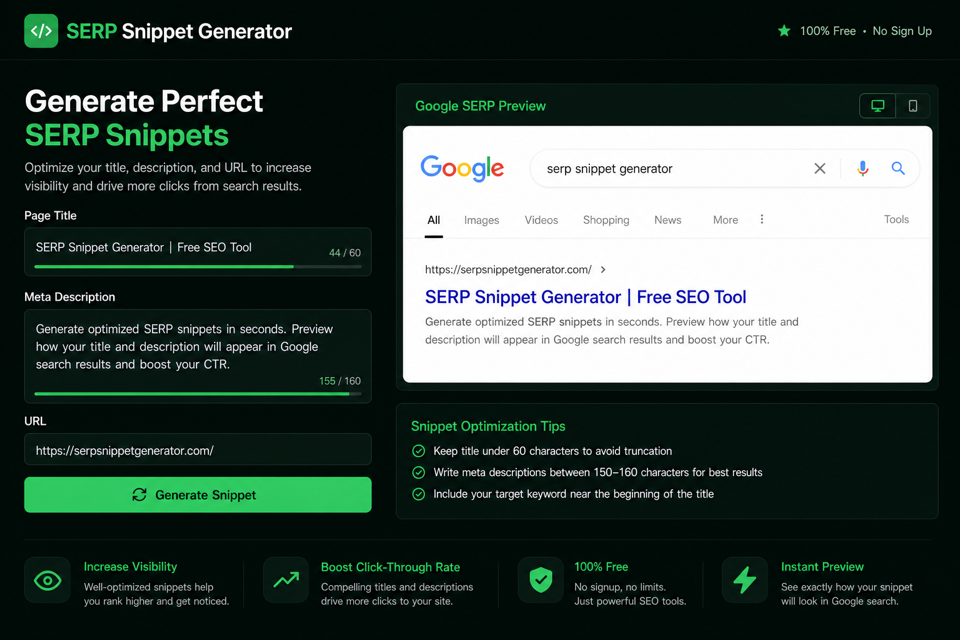
Paste title, description, and URL. Drafts stay in your browser — nothing is uploaded.
Combined desktop/mobile snippet with pixel meters.
Run the utility to generate output in this panel.
A SERP snippet is the listing searchers see: usually a title link, a visible URL or site name row, and a short description.
This tool’s job is composition. Length checkers validate one field. A SERP snippet generator shows how title, URL, and description work together before you publish.
People also search for this job as a SERP preview, SERP simulator, or Google snippet preview. The intent is the same: reduce surprise when the listing goes live.
Google can rewrite the title link or pull a different description from the page. A clear, accurate, unique draft still gives you the best chance of controlling the message.
DilDigital runs the preview in your browser. Drafts are not uploaded for analysis. Favicons may load from the public domain helper in your browser when you leave the favicon field blank.
Titles and descriptions both truncate by rendered width. Character counts are useful guides; pixels are closer to the cut.
This preview reuses DilDigital’s Meta Title and Meta Description engines: about 580–600px for desktop titles, a ~496px mobile title heuristic, and about 920px / 680px for desktop and mobile descriptions at Arial 14px.
Wide letters still matter. A title full of capitals can cut earlier than a mixed-case title with the same character count. The same rule applies to descriptions.
Treat every meter as an industry heuristic. Google does not publish a permanent pixel law, and live results can wrap or rewrite.
| Element | Approx chars | Approx px | Notes |
|---|---|---|---|
| Desktop title | 50–60 | 580–600 | Shared with Meta Title Length Checker |
| Mobile title | Varies | ~496 | Single-line heuristic; live mobile often wraps |
| Desktop description | 150–160 | 900–920 | Shared with Meta Description Length Checker |
| Mobile description | 110–130 | 650–680 | Protect benefit and CTA early |
| Combined job | All three fields | D + M mocks | See truncation and click appeal together |
Paste the title, description, and URL you plan to publish. This SERP preview combines them into one desktop and mobile mock so you can see truncation and click appeal together.
It reuses the same approximate Canvas/Arial pixel engines as DilDigital’s Meta Title and Meta Description checkers — industry heuristics, not a private Google API.
Your draft stays in the browser. Nothing is uploaded to DilDigital. Optional focus keyword, site name, and favicon help the preview match today’s SERP layout.
Paste the exact title tag, meta description, and visible URL you plan to ship. Optionally add a focus keyword, site name, and favicon.
Watch the desktop and mobile mocks update live with approximate pixel cuts, meters, and a practical combined verdict.
If you set a focus keyword, confirm it still appears before the title and description ellipsis — especially on mobile.
Copy clean HTML title and meta description tags, or jump to the dedicated length checkers for a deeper pass before you publish.
Write the listing like ad copy for one query: clear topic, honest promise, clean URL.
Front-load the primary topic in the title. Keep the brand at the end when space allows. Put the benefit and soft CTA early in the description so mobile cuts do not erase them.
Keep the visible URL short and readable. Hyphenated paths beat long parameter strings in the preview and in real results.
Unique titles and descriptions still matter. Duplicate CMS defaults make listings hard to tell apart and raise rewrite risk.
After publish, watch Search Console CTR. A ranking URL with weak clicks often needs a clearer snippet, not only more links.
Google Search Central: Control your snippets Google Search Central: Influencing title links
Previews estimate display. Google still chooses what to show for a query.
Google may replace a weak or mismatched title with on-page text. It may also ignore a vague description and pull a tighter passage from the body.
Query matching, device layout, and testing experiments all change what a person sees. That is why this tool discloses heuristics instead of promising pixel-perfect Google output.
Use the preview to catch obvious truncation and weak CTAs. Then align the HTML title, H1, and page copy so rewrites are less likely.
Compare clean combined listings with weak ones before you ship.
Title: SERP Snippet Generator [100% FREE] | DilDigital URL: https://dildigital.com/tools/serp-snippet-generator Desc: Preview title, URL, and meta description together with desktop and mobile pixel cuts. Free DilDigital tool — no signup.
Title: Free Online SERP Snippet Tool Preview Generator Website Simulator URL: https://dildigital.com/index.php?id=992837&ref=tools Desc: Click here to preview your snippet on our free website tool.
Takeaway: The good listing leads with the job, uses a clean URL, and ends with a clear free offer. The bad listing stuffs synonyms and hides the page behind parameters.
Title: Google SERP Preview for Title & Description | DilDigital URL: https://dildigital.com/tools/serp-snippet-generator Desc: Check truncation risk before you publish. See favicon, site name, and keyword survival in one browser-local preview.
Title: SERP Tool URL: https://dildigital.com/tools Desc: Preview stuff.
Takeaway: The short listing wastes SERP space and says almost nothing. The stronger listing names the outcome and still fits a practical range.
Use these rules when you preview the combined listing and rewrite before publish.
Front-load the topic. Place the brand at the end when space allows.
Protect the mobile budget (~680px) so the benefit still shows on phones.
Matching terms may bold in the snippet. Confirm they survive the cut in this preview.
Tell searchers what they get. Avoid empty “Click here” endings.
Short, hyphenated paths read better than long query strings.
Mismatches invite Google to rewrite the listing from on-page text.
Every indexable URL needs its own title and description.
A desktop-safe description can still lose the CTA on mobile.
When the draft looks right, copy the title and meta description tags into your CMS or theme.
Use this tool for composition, then deep-check a single field when needed.
Classic SERP snippets still sell the click. Clear page labels travel farther than vague boilerplate.
When AI systems cite a page, they often surface a title and short label. Your meta description is not a secret AI ranking lever, but an honest page promise helps humans and machines alike.
Write one clear listing for searchers first. That same clarity helps when other surfaces need a short explanation of the page.
Most weak listings fail for ordinary reasons.
Keyword-stuffed titles, “Click here” descriptions, parameter-heavy URLs, and brand-first CMS defaults burn the limited SERP budget.
Checking title length alone and ignoring the description (or the reverse) misses composition problems. Preview both together before you ship.
Run these checks after the SERP preview returns a verdict.
Straight answers for previews, truncation, and Google rewrites.
A SERP snippet generator is a preview tool that shows how a page’s title, URL, and meta description may appear together in search results. DilDigital’s version also estimates pixel width and truncation for desktop and mobile.
In everyday SEO language, yes. People use SERP preview, SERP simulator, and snippet generator for the same job: test the listing before publish.
Not always. Google may use your HTML description or pull a different on-page passage that better matches the query. Clear, unique, relevant descriptions still give you the best chance of controlling the snippet.
Aim for about 50–60 characters / ~580–600px for the title and about 120–155 characters / ~920px desktop (and ~680px mobile) for the description. Preview both together because mobile cuts differently.
No honest free tool has a private Google rendering API. DilDigital uses the common Canvas/Arial industry method and labels it as a heuristic. Use it to catch likely truncation, not to claim exact Google pixels.
Google may rewrite titles, replace descriptions, wrap lines differently, or personalize results. Device, query, and experiments all change the listing. Align on-page copy and keep length under control to reduce surprises.
Google builds the site name and favicon row from site signals such as titles, structured data, and icons. In this tool you can set a site name and favicon for the mock, or leave favicon blank to load a public domain icon in the browser.
No. Google may bold matching query terms automatically. Do not wrap HTML bold tags inside the meta description. Put the topic in naturally and use this preview’s keyword field to simulate emphasis.
A SERP preview is best for composition. Dedicated title and description checkers are better for deep single-field QA, bulk sheets, and compare modes. DilDigital keeps all three and cross-links them.
Yes. Fit prevents truncation; it does not force Google to use your HTML title. Mismatched, stuffed, or boilerplate titles still get rewritten.
Short, readable, hyphenated paths usually display more cleanly than long parameter strings. This preview shows a simple breadcrumb-style crumb from your URL.
Meta descriptions are not a direct ranking factor. They influence click-through. A clear snippet can win more clicks from the same position.
Yes. Unique titles and descriptions help searchers tell results apart and reduce duplicate-snippet problems across a site.
After the preview looks right, use Copy HTML tags to place a title element and meta description tag on your clipboard for your CMS or theme.
No. The checker runs in your browser. DilDigital does not require signup for the core preview. Favicon images may load from a public helper based on the domain you enter.
Those surfaces are separate from a standard blue-link snippet. This tool focuses on the classic title/URL/description listing. Do not invent star ratings or rich-result theater you have not earned.
Audit when you publish, after major content changes, and when Search Console shows weak CTR on important URLs. A quarterly pass on top landing pages catches stale copy.
Paste the title, URL, and description, read the combined pixel verdict, then tighten until the listing stays clear on desktop and mobile.