
Canonical Tag Generator
Generate clean rel=canonical tags with HTTPS, UTM cleanup, validation, and copy-ready HTML.
Free tool — no signup
Use this free UTM code generator to build consistent Google Analytics 4 campaign URLs. Add source, medium, campaign, optional content/term/id, apply channel presets, and copy a clean tagged link — in your browser, no signup.
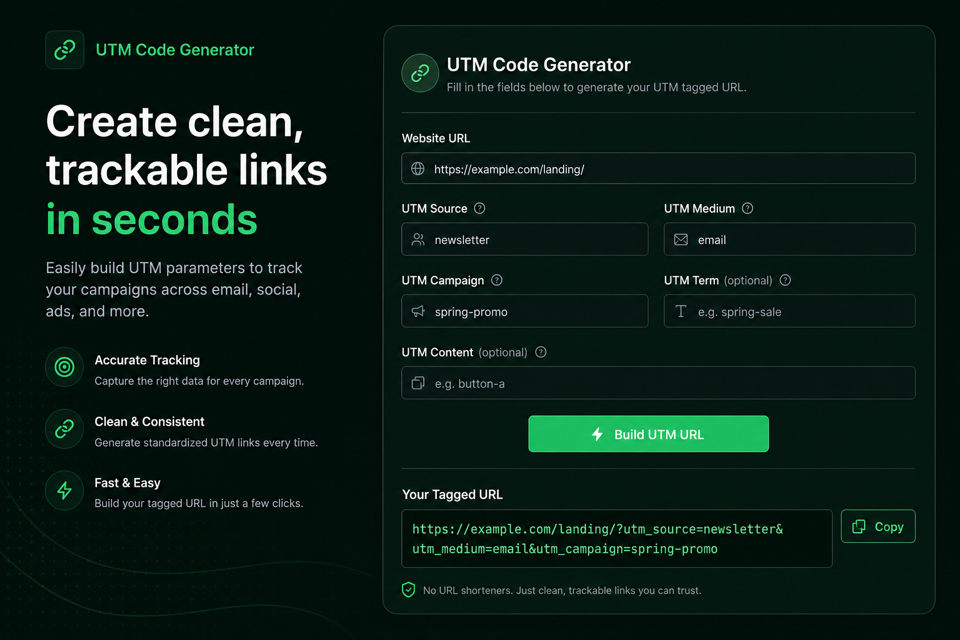
Build a GA4 campaign URL in your browser. Drafts are not uploaded.
Channel presets
Live tagged URL, checks, and local history.
Run the utility to generate output in this panel.
UTM parameters are query tags that tell analytics which campaign sent a visit.
This DilDigital builder appends utm_source, utm_medium, utm_campaign, and optional utm_content, utm_term, and utm_id to a destination URL so Google Analytics 4 can attribute the session.
People also call this a UTM builder, campaign URL builder, or GA4 UTM builder. The job is consistent tagging — not inventing vanity metrics.
The tool runs in your browser. It does not shorten links, sync ad accounts, or upload your campaign plan.
Three fields do most of the work. The rest refine creative and imports.
utm_source names the platform or publisher (google, newsletter, linkedin). utm_medium names the channel type (cpc, email, social, qr). utm_campaign names the initiative (spring_launch_2026).
utm_content distinguishes creatives or link placements. utm_term is mainly for paid search keywords. utm_id helps when you import cost data into GA4.
Lock a small vocabulary for source and medium. Inventing a new medium for every campaign is how reports turn into mush.
| Parameter | Required? | Examples |
|---|---|---|
| utm_source | Yes | google, newsletter, facebook, partner_acme |
| utm_medium | Yes | cpc, email, social, referral, qr |
| utm_campaign | Yes | spring_launch_2026, webinar_q2 |
| utm_id | Optional | Stable ID for cost imports |
| utm_content | Optional | hero_cta, sidebar_link |
| utm_term | Optional | Paid keyword |
Fill in the destination URL and the three required UTM fields. Presets fill common source/medium pairs so your team stays consistent.
Force lowercase and convert spaces to underscores to keep GA4 reports from splitting the same channel into near-duplicate rows.
Everything runs locally. Session history stays in this browser tab so you can copy recent links without uploading a campaign sheet.
Paste the landing page where the click should go. Existing query parameters and hash fragments are preserved.
Use a preset for common source/medium pairs, then set campaign name plus optional content, term, and utm_id.
Keep force-lowercase and space-to-underscore on so GA4 does not split “Email” and “email” into different rows.
Review checks and warnings, copy the URL into your ad, email, or QR workflow, and keep a shared naming sheet for your team.
Analytics stores the string you send. Case and spacing are not forgiven.
“Email”, “email”, and “EMAIL” become three different mediums. Prefer lowercase always.
Spaces become ugly encodings and inconsistent labels. Use underscores or hyphens — pick one separator style for the team.
This builder can force lowercase and convert spaces to underscores as you type.
Google Analytics Help: Collect campaign data with custom URLs
Internal UTMs overwrite the original traffic source.
If someone arrives from Google, then clicks an on-site link tagged with utm_source=homepage, GA4 may reattribute the session to that UTM instead of organic search.
Use UTMs only for traffic arriving from outside your site: ads, email, social posts, affiliates, QR codes, and partner placements.
Protect landing pages with a clean self-referencing canonical that does not include UTM parameters.
Compare clean tagged links with report-breaking ones.
https://dildigital.com/example?utm_source=newsletter&utm_medium=email&utm_campaign=spring_launch_2026&utm_content=header_cta
https://dildigital.com/example?utm_source=Weekly%20Newsletter&utm_medium=Email&utm_campaign=Spring%20Launch%202026
Takeaway: The good link stays lowercase and separator-clean. The bad link fragments GA4 with spaces and mixed case.
Use UTMs on the email CTA that points to /pricing. Leave in-site nav links untagged.
Add utm_source=menu to every header link “for tracking.”
Takeaway: Internal UTMs overwrite original acquisition sources and destroy organic/paid attribution.
Use these rules when you build links for GA4.
Those three fields power most acquisition reports. Fill them every time.
Prevent Email vs email splits before they hit GA4.
Use underscores or hyphens consistently.
Prefer cpc, email, social, referral, affiliate, display, qr.
UTMs are for external acquisition only.
Separate hero CTA vs footer link without inventing new campaigns.
Help GA4 join spend to the right campaign when you import costs.
This builder appends UTMs and keeps existing params — confirm the base URL is already correct.
Landing pages should self-canonicalize without UTM query strings.
A shared sheet beats tribal knowledge when the team grows.
A shared convention beats another dashboard widget.
Date your campaigns when it helps (2026_03_spring_launch). Keep audience or offer tokens consistent across channels for the same initiative.
Store the convention in a simple sheet. Monthly, skim distinct source/medium values and merge near-duplicates before they pile up.
Most broken reports come from ordinary hygiene failures.
Mixed case, spaces, tagging internal nav, inventing one-off mediums, and forgetting campaign names all fragment attribution.
Another frequent miss: putting UTMs into the page’s canonical tag. Keep promotional query strings off the preferred SEO URL.
Run these checks after the tagged URL looks right.
Straight answers for GA4 campaign URLs and tagging hygiene.
UTM parameters are standardized query tags (utm_source, utm_medium, utm_campaign, and optional fields) appended to a URL so analytics tools can attribute visits to a marketing campaign.
utm_source is the platform or publisher, utm_medium is the channel type, and utm_campaign is the specific initiative or promotion name.
Yes. GA4 treats Email and email as different values. Always lowercase unless you have a deliberate exception documented for the whole team.
No. Internal UTMs can overwrite the original traffic source. Use UTMs only on links that bring people onto your site from outside.
UTMs create URL variants. Protect SEO by keeping self-referencing canonical tags on the clean URL without campaign parameters so tracking links do not become indexed duplicates.
utm_id is an optional campaign ID that helps when you import cost or offline data into GA4 and need a stable join key beyond the campaign name string.
utm_content differentiates creatives or link placements. utm_term is typically the paid search keyword.
Publish a short source/medium vocabulary, force lowercase in your builder, and review distinct values monthly for near-duplicates.
No. DilDigital builds the URL in your browser. Session history stays in the current tab’s sessionStorage and is not uploaded.
The same classic UTM parameters work for campaign tagging in GA4. Follow current Google Analytics guidance for collecting campaign data with custom URLs.
Optional for social or print. Shorten only after the UTM URL is correct, and use a shortener you trust. This tool does not require a shortener account.
Common clean values include cpc, email, social, referral, affiliate, display, and qr. Avoid inventing a new medium for every send.
You will get weaker campaign reporting and more (not set) style gaps. This builder treats campaign as required alongside source and medium.
No. DilDigital appends UTM parameters and preserves existing query strings and hash fragments on the base URL.
Use UTMs on promotional links. Keep the page’s rel=canonical pointed at the clean preferred URL without tracking parameters.
Yes. Use a QR/print preset or set utm_medium=qr, then encode the finished tagged URL in your QR generator.
Google provides official campaign URL builder documentation and tools. DilDigital’s generator focuses on fast local hygiene, presets, and copy-ready output without signup.
Pick a preset, fill campaign name, review the checks, then copy a clean GA4-tagged link.